به عنوان فروشنده BAZAAR، شما ۱۰۰٪ بر استراتژی تحویل خود نظارت دارید. شما تصمیم میگیرید کجا بفروشید و چگونه ارسال کنید.
مناطق تحویل خود را تعریف کنید. فروش محلی را انتخاب کنید یا با تنظیم مناطق دلخواه، به بازارهای بینالمللی گسترش یابید.
هزینههای ارسال خود را بر اساس مقصد، وزن کالا یا نرخهای ثابت تعیین کنید. BAZAAR قیمتهای لجستیک شما را دیکته نمیکند.
از هر سرویس پیکی که میخواهید (DHL، FedEx، UPS یا پست محلی) استفاده کنید. فقط شماره پیگیری را در پنل خود وارد کنید.
محصولات شما به طور خودکار در اکوسیستم چندزبانه ما ادغام میشوند. BAZAAR رابط فروشگاه شما را ترجمه میکند تا خریداران از مناطق مختلف به زبان مادری خود خرید کنند.
ما از فناوری بلاکچین استفاده میکنیم تا اطمینان حاصل کنیم درآمد شما ایمن است و بدون تأخیرهای بانکی منتقل میشود.
کارمزد فروش
بدون هزینه اشتراک • بدون هزینه ثبت کالا • بدون هزینههای پنهان
| ویژگی | توضیحات |
|---|---|
| وارد کردن انبوه محصولات | کسب و کار خود را با آپلود هزاران محصول به طور همزمان با استفاده از قالبهای CSV یا XLSX گسترش دهید. |
| ردیابی موجودی | مدیریت موجودی در لحظه و هشدارهای کاهش موجودی برای جلوگیری از بیشفروشی. |
| چت مستقیم با مشتری | با برقراری ارتباط مستقیم با خریداران برای پاسخ به سوالات، اعتماد ایجاد کنید. |
| ویترین موبایل | فروشگاه شما کاملاً برای موبایل بهینه شده است. سفارشها را از هر جایی مدیریت کنید. |
به عنوان فروشنده ثبتنام کنید و پروفایل منحصر به فرد فروشگاه خود را تنظیم کنید.
موجودی خود را به صورت دستی یا از طریق وارد کردن انبوه CSV اضافه کنید.
سفارشها را ارسال کنید و وجه خود را به صورت USDT مستقیم در کیف پولتان دریافت کنید.
هر آنچه برای فروش در BAZAAR باید بدانید
BAZAAR یک بازارچه بینالمللی چندفروشنده است که به شما امکان میدهد کسبوکار آنلاین خود را راهاندازی، توسعه و مدیریت کنید.
با BAZAAR، شما میتوانید:
BAZAAR کاملاً مبتنی بر وب است، بنابراین نیازی به نگرانی درباره نصب یا نگهداری نرمافزار ندارید. میتوانید از هر کجا، حتی دستگاه موبایل خود، به فروشگاه خود دسترسی داشته و آن را مدیریت کنید.
دو راه برای تبدیل شدن به فروشنده در BAZAAR وجود دارد:
شما به موارد زیر نیاز خواهید داشت:
پس از ثبتنام، وارد داشبورد فروشنده خود شوید و به تنظیمات فروشگاه بروید. در اینجا میتوانید:
به داشبورد فروشنده خود بروید، روی «افزودن محصول» کلیک کنید، جزئیات را پر کنید، تصاویر را بارگذاری کنید و منتشر کنید. محصول شما بلافاصله برای خریداران قابل مشاهده خواهد بود.
هر محصول به عنوان، قیمت، دستهبندی، توضیحات، تصاویر و میزان موجودی نیاز دارد. اطلاعات دقیق به خریداران کمک میکند محصولات شما را پیدا کنند و به آنها اعتماد کنند.
بله. شما میتوانید در هر زمان قیمتها، توضیحات یا تصاویر را بهروزرسانی کنید یا محصول را بهطور کامل از فروشگاه خود حذف نمایید. تغییرات فوراً اعمال میشوند.
بله، میتوانید! هنگام افزودن محصول جدید، کافی است گزینه «وارد کردن» را انتخاب کنید.
ما از وارد کردن محصولات در فرمتهای CSV و XLSX پشتیبانی میکنیم. برای شروع، باید قالب واردسازی ما را دانلود کنید.
فیلدهای الزامی در قالب، نام، قیمت و تصویر هستند. سایر فیلدها اختیاری بوده و میتوانید به دلخواه پر کنید.
برای فیلد تصویر، فقط لینک مستقیم تصویر را وارد کنید. در فرآیند واردسازی، تصویر بهصورت خودکار آپلود خواهد شد.
تمام سفارشهای جدید در داشبورد فروشنده شما تحت بخش «سفارشها» نمایش داده میشوند. جزئیات را بررسی کنید، موجودی را تأیید کنید و کالا را برای ارسال آماده کنید.
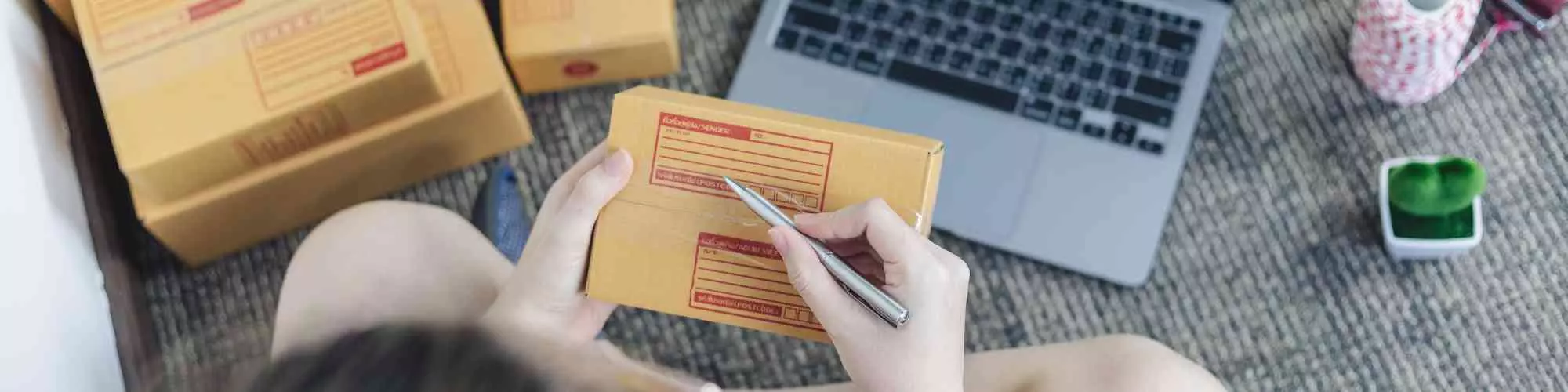
محصول را با اطمینان بستهبندی کنید، از روش ارسال مورد نظر خود استفاده کنید و جزئیات رهگیری را در صفحه سفارش وارد کنید تا خریدار در جریان قرار گیرد.
پس از افزودن کد رهگیری، خریدار میتواند روند تحویل را دنبال کند. وقتی سفارش بهعنوان تحویلشده علامتگذاری و تأیید شد، پرداخت شما به USDT پردازش خواهد شد.
BAZAAR تنها ۲٪ کمیسیون ساده فقط برای فروشهای موفق دریافت میکند. هیچ هزینه اشتراک یا هزینه درج کالا وجود ندارد — شما فقط زمانی پرداخت میکنید که فروش انجام شود.
خیر. BAZAAR هیچ اشتراک ماهیانه یا هزینههای مخفی ندارد. این بدان معناست که اگر فروشی نداشته باشید، هیچ هزینهای پرداخت نمیکنید.
پرداختها پس از تأیید تحویل سفارش به صورت USDT پردازش میشوند. وجوه مستقیماً به کیف پول USDT ثبتشده شما ارسال میشوند.